



Database Fundamentals: Beginner's Blog Tutorial
Almost every application you use sits on top of a database, and the core ideas behind them have been stable for decades: tables, keys, relations, and a query language called SQL. This tutorial teaches those ideas hands-on with SQLite, a real database engine that needs no server and no setup. By the end you will have created tables, linked them with keys, run the essential SQL statements, added an index, and learned when SQL is the right tool and when a NoSQL database earns its keep.
Step 1: Get a database you can experiment in
SQLite stores an entire database in a single file and ships as one small command-line program, which makes it ideal for learning. On many systems it is already installed; check with:
sqlite3 --versionIf it is missing, install it from your package manager or download the command-line tools from sqlite.org. Then create a practice database and open its interactive shell:
sqlite3 shop.dbEverything you type from here on is standard SQL, and nearly all of it transfers directly to bigger engines such as PostgreSQL and MySQL. SQLite is also not just a toy: it runs inside phones, browsers, and countless applications.
Step 2: Tables, rows, and columns
A relational database organizes data into tables. A table is like a strict spreadsheet: columns define what kind of data each record holds, and every row is one record. Create your first table:
CREATE TABLE customers (
  id    INTEGER PRIMARY KEY,
  name  TEXT NOT NULL,
  email TEXT NOT NULL UNIQUE,
  city  TEXT
);
Three things in this statement carry most of the weight. Each column has a type (INTEGER, TEXT). Constraints like NOT NULL and UNIQUE make the database refuse bad data, so a customer without an email or a duplicate address simply cannot be inserted. And PRIMARY KEY introduces the most important concept in the whole system, so it gets its own section.
Step 3: Keys and relations
A primary key uniquely identifies each row in a table. No two rows may share it, and it should never change. In SQLite, an INTEGER PRIMARY KEY column auto-assigns an id when you insert a row without one, which is exactly what you want for a beginner schema.
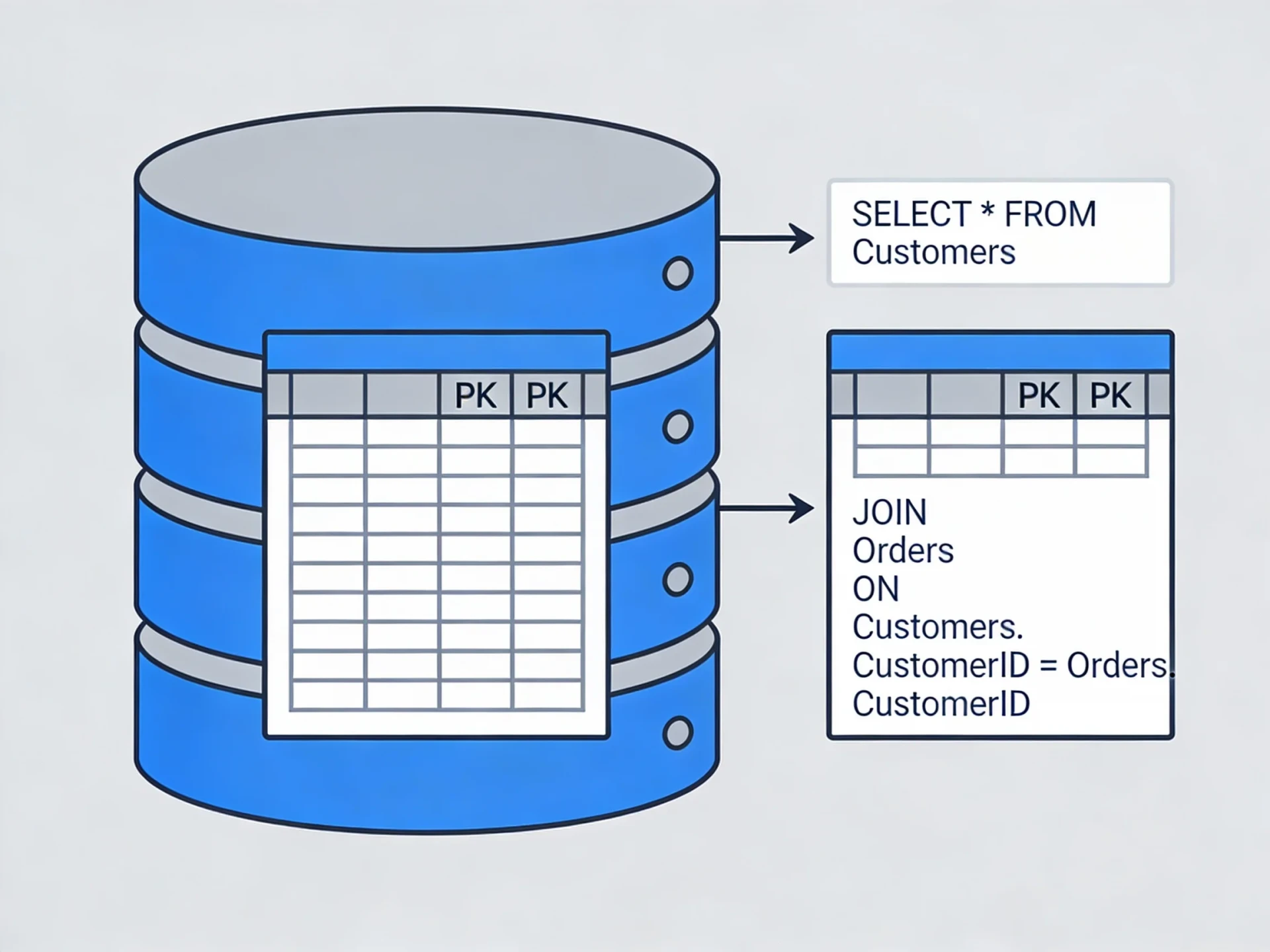
A foreign key is a column that stores another table's primary key, and it is how tables relate to each other. Instead of copying customer details into every order (and updating them in five places when someone moves), an order stores just the customer's id:
CREATE TABLE orders (
  id          INTEGER PRIMARY KEY,
  customer_id INTEGER NOT NULL REFERENCES customers(id),
  product     TEXT NOT NULL,
  amount_eur  REAL NOT NULL,
  created_at  TEXT DEFAULT CURRENT_TIMESTAMP
);
This is a one-to-many relation: one customer, many orders. The other common shapes are one-to-one (a customer and their single loyalty profile) and many-to-many (products and categories), which relational databases model with a small linking table holding two foreign keys. Storing each fact once and connecting it by keys is called normalization, and it is the habit that keeps data consistent as an application grows.
One SQLite-specific note: it only enforces foreign keys when you ask it to. Run PRAGMA foreign_keys = ON; at the start of a session if you want inserts with a nonexistent customer_id to be rejected.
Step 4: The four SQL statements you will use daily
Put some data in with INSERT:
INSERT INTO customers (name, email, city)
VALUES ('Ada Lovelace', 'ada@example.com', 'London');

INSERT INTO orders (customer_id, product, amount_eur)
VALUES (1, 'Notebook', 12.50);
Read it back with SELECT, filtering with WHERE and ordering with ORDER BY:
SELECT name, city FROM customers;

SELECT * FROM orders
WHERE amount_eur > 10
ORDER BY created_at DESC;
Change existing rows with UPDATE:
UPDATE customers
SET city = 'Amsterdam'
WHERE id = 1;
The WHERE clause on an UPDATE (and on DELETE) is not optional in practice: without it, the statement changes every row in the table, and there is no undo. A protective habit that professionals actually use: write the SELECT first with the same WHERE, check that it returns exactly the rows you expect, then change the verb to UPDATE or DELETE.
The last essential is JOIN, which stitches related tables back together using the keys you set up:
SELECT customers.name, orders.product, orders.amount_eur
FROM orders
JOIN customers ON customers.id = orders.customer_id;
This query returns one row per order, with the customer's name pulled in via the foreign key. Once joins click, the reason for splitting data across tables clicks with them.
Step 5: Indexes, or why some queries are slow
Without help, a database answers a query like WHERE email = '...' by scanning every row. On a thousand rows nobody notices; on ten million rows everybody does. An index is a sorted lookup structure the database maintains next to the table so it can jump straight to matching rows:
CREATE INDEX idx_orders_customer ON orders(customer_id);Rules of thumb that will serve you for years:
- Index columns you frequently filter or join on; foreign key columns are the classic case.
- Primary keys and
UNIQUEcolumns are already backed by an index, so do not add another. - Indexes are not free: each one slows down inserts and updates slightly and takes disk space, so index deliberately instead of indexing everything.
- When a query feels slow, ask the database how it executes it. In SQLite, prefix the query with
EXPLAIN QUERY PLANand look for a full table scan on a large table; that is usually where an index is missing.
SQL or NoSQL: how to choose
NoSQL is an umbrella for databases that drop the relational model in exchange for other properties. The most common kind, the document store, keeps records as nested JSON-like documents without a fixed schema; other families include key-value stores, wide-column stores, and graph databases.
A fair comparison looks like this:
- Choose SQL when your data has structure and relationships (customers, orders, products, invoices describe most business software), when you need strong consistency guarantees and transactions, or when you will ask questions you did not plan for at design time. SQL is also a portable skill: the same language works across engines and decades.
- Choose NoSQL when the data genuinely has no stable structure, when records are self-contained documents you mostly fetch whole by id, or when you need a specific scaling model that a particular NoSQL engine is built for.
- Do not choose NoSQL to avoid learning schemas. The structure of your data does not disappear; it moves into application code, where the database can no longer enforce it. Schemaless databases still have schemas, just unwritten ones.
For a beginner building a typical application, a relational database is the right default, and everything you practiced above is the foundation. When a real requirement points at a document or key-value store later, you will recognize it because the relational shape will feel forced.
Where to go next
- Python basics: a language that pairs naturally with SQLite
- API integration: putting a database behind an API
- Database fundamentals: all tutorials on this topic
Stuck on a step? Write to the desk and we will look at it with you.
Comments
No comments yet. Be the first to share your thoughts.